Protect what matters – even after you're gone. Make a plan for your digital legacy today.
commentary
44 Topics
How to increase biometric auth attempts in the app?
Hi everyone, Ive been having a recurring issue with biometric authentication (fingerprint) in the 1Password app. Sometimes my finger is slightly wet, or I don't place it correctly on the first try, and the app immediately locks me out and asks for the master password From a usability standpoint, this feels a bit counterproductive. The whole point of enabling biometrics is to make authentication faster and more convenient, but having only one attempt before being forced to type the full password can be frustrating. Is there any way to increase the number of allowed biometric attempts (for example, 3–5 tries) before the app falls back to requiring the master password? Or is this behavior fixed for security reasons? Id love to know if there's a setting I'm missing, or if this could be considered as a feature request Thanks!23Views0likes4Comments
International Billing
I'm in the US and have been a 1Password customer for years. I just auto-renewed and realized I was charged an internal transaction fee by my card. I did not remember that. I looked back through history, and I was charged it last year too. I was NOT charged it any time before last year. When did this change and is there anyway as a US bank user to not be charged from Canada?Solved260Views0likes6Comments
How do you get help?
Support get a zero out of 10 for me. I joined Jan 15 and set up family account and used it for a while. My mistake I did not create a Recovery Kit. I forgot my password - yes my fault. I have no way to recover but tried for about a week. Eventually I created a new trial account and recreated my vaults. I entered a Support Ticket and asked for my paid subscription to be transferred to my new trial account - 7 days remaining. After 3 days, I had only received the initial automated reply. Through the very unhelpful AI chatbot I entered probably 3 more tickets and still no replies. I even emailed the support team at 1Password directly. My trial ended and I still have no help. So I subscribed again for a family account. I now have 2 family accounts with one I cannot access at all. I entered another ticket yesterday to say I want to cancel the one account that I cannot access. Guess what - no reply!!! Arghhh - makes me want to cancel everything and get a different product that has support available. Help!!!!Solved65Views0likes5Comments
Mac App Closing
Is anyone else experiencing the Mac app closing itself all the time? I haven't figured out a pattern to it, but when I try to Cmd + Tab to it, frequently, it's just not there anymore and has closed out. That of course impacts authentication to sites if needed, as I need to unlock (as that beautiful new "unlock with Mac unlock" feature has not yet shipped to prod). It doesn't seem like it's crashing out - I see no visible signs that it has crashed at least, but it's just... closed. Several times per day. I am using Tahoe 26.1, 1Password for Mac 8.11.16 (81116035), Safari 26.1 (21622.2.11.11.9).Solved67Views1like4CommentsFeature thanks
Hello, It's with gratefulness that I pass along thanks to the 1Password developers and staff for creating a feature that allows the password to be enlarged. This feature is valuable for those of us with a need to see larger print and is especially helpful when complex passwords include spaces between the characters. The feature has number for each character, making it very easy to see blank spaces. Thank you so much!37Views2likes1CommentRBM: Cybersecurity Hot Takes 2025
Hey everyone! 👋 A new episode of 1Password's Random but Memorable podcast has dropped! Listen now Watch on YouTube Episode summary Love a hot take? 🔥 You’re in luck! We’re back with a special end-of-year treat: a rapid-fire round of cybersecurity hot takes guaranteed to start arguments in your group chats and hijack at least one Slack thread. 💬 The team weighs in on bold claims like “Passwords will finally die in 2026” and “AI will solve more cybersecurity problems than it causes next year.” Then we spice things up with hot takes from around 1Password — covering everything from CAPTCHAs (a punishment?) to VPNs (are they even doing anything?) to whether New Year’s security resolutions ever last past January. 🤔✨ We round out the episode with a listener question in #Ask1Password. Plus, it wouldn’t be a holiday episode without a bit of nonsense, so we’ve revived an old fan-favourite game from the Random but Memorable vault. Which hot take did you agree with, and which one missed the mark? Let us know in the comments below!62Views0likes1Comment
No Notifications 🔔 (sometimes)
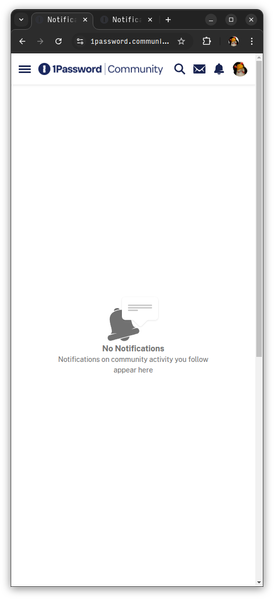
When clicking the bell icon (🔔) with or without the blue dot (🔵), the Notifications page will often open to show "No Notifications" where there are Notifications. Reloading the page, or opening it in a new tab or window, will usually show the Notifications. Sometimes reloading the page showing Notifications will show the "No Notifications" page.147Views0likes5Comments
Is there a 1Password Referral Program?
I'm aware of the formal Affiliate Program on CJ Affiliate, however CJ is a high threshold affiliate program with a tax ID, etc. I'm wondering if 1 Password has a simple referral code I can send to people to sign up. I sign up clients, friends, and followers weekly. 1Password is easy for tech people but the majority of non-tech people can't be bothered by this stuff and the conversion of direct personal referrals is higher than posting on social media via an official program like CJ. I use CJ for my formal social media partnerships and it's not a great match for 1Password. It would be appreciated to get some kind of credit for it, since none of them would sign up without my help. Almost every other platform has something like this.839Views1like7Comments
New Forum feedback
At the moment I prefer the old forum. It was much more logically structured and easier to find stuff on and just browse topics. Maybe I just need to learn it more, but if something needs learning, then it's not intuitive. I would like the option to replace the infinite scroll pages (which you still need to click a button to show more), with standard pagination. Pagination shows up in your browser history, which makes it possible to jump to a specific page of posts you've previously visited. If you lose your place in these infinite scroll pages, you have to click Show More and scroll to the bottom and repeat, over and over again. Why? It's much more tedious than just jumping to a page in your browser history with one click. On the main Discussions index page there's no introduction to each of the 4 main sections to tell you what is in them. Lounge? What's that for? What type of posts should go in there? Same with Device Trust - what is it? Password Manager should be obvious, but it could mention that all flavours of 1Password are discussed in there (mobile, desktop, browser extension, Mac, Windows, Linux etc.). I would guess a lot of people have no idea what Passage is, and from this page they still wouldn't. Under these 4 main topic areas there needs to be direct links to sub-sections, so for example, you can go directly to the iOS posts in the Password Manager section, rather than having to click Password Manager and then the IOS tag in the Categories box in the side panel. I've no idea what Device Trust is! Even the Welcome to the Device Trust forum post doesn't say what it is or what you should ask in there. There needs to be more sub-categories in the Betas section. All betas, for all operating systems, for mobile, desktop and browser are lumped together with no way to filter. How do I find posts about only the Mac Chrome Beta browser extension? I can't. Why do the URLs not match up with the Breadcrumbs at the top of the page? For example, If you go into the Discussions > Lounge section, the URL is: www.1password.community/category/discuss/discussions/lounge - what are the extra red bits for? Also, the URLs for Resources and Champions are /connect/ and /advocacy/ - more inconsistency. Why is the Password Manager section not called 1Password, as that is the name of the product across all platforms that people will recognise? Inconsistently, it is called 1Password in the URL for this section! www.1password.community/category/discuss/discussions/1password When you click into an individual post or tag, the sidebar disappears so you can't navigate directly to another tag without having to retrace your steps. Why does the Discussions item in the menu bar have a drop-down with its 4 main sub-sections listed, but the Groups item doesn't? And why are 1Password Administrators and 1Password SDKs designated as groups and not discussions? They appear identical in functionality and UI once you click through. That's most of the things I've noticed so far. Overall I think it's been launched too early. There's too many inconsistencies and illogical UX decisions. Because you've launched it in this state, search engines will be indexing the current content under it's current broken and inconsistent URL structure making it difficult to fix without lots of broken links (or lots of redirects).653Views16likes14Comments