Protect what matters – even after you're gone. Make a plan for your digital legacy today.
macos
5143 Topics
Disable username 'suggestions' when creating a new entry
hi, all...I'm a new 1Password user and have something bugging me (no pun intended) & couldn't find the answer via search. hoping the community can help :-) When I'm creating a new entry on the 1Password app on my Mac, when I click on 'username' it gives me a list of (seemingly) all the different usernames that are stored by 1Password. Any chance there's a way to disable this? 1Password Version: 8.7.1 Extension Version: Not Provided OS Version: macOS 12.5173Views1like8Comments
Login icons not showing after an import
Hi, I have an existing vault where my icons for all my login items show, everything is fine etc. However I've created a new vault and have imported from bitwarden a large amount of entries. Even though I have 'Show app and website icons' selected, none of the icons for the imported sites show (just the default first and second letter. If I then go into one of these imports and remove the part of the website URL and add back, the icon then appears. So its as if its not triggering to look these up on import. I've tried production and nightly build but both the same result. Anyway to force an icon lookup for a vault, or to fix the import issue? Keen to move some family members over to a subscription plan, but obviously the nice to look at bit will become the most important part!9Views0likes2Comments
Bug? Browser extension not unlocking or filling in password
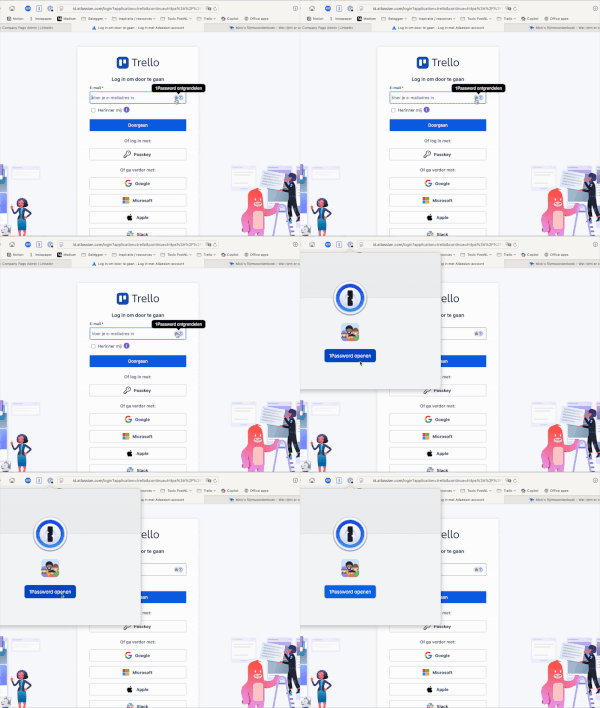
My 1Password browser extension often refuses to unlock and fill in passwords. Even when I click 'Open 1Password' on the menu bar icon it won't open the app. I already tried reinstalling my browser extension, but no success. Sometimes the extension will work, but the issue is unpredictable and doesn't seem to be tied to specific sites. Software versions used: MacOS 15.6.1 Safari 18.6 (20621.3.11.11.3) 1Password for Safari 8.11.20.39 1Password for Mac 8.11.20 (81120039) Screenrecording of the issue:61Views0likes3CommentsDefault user for site?
I have usernames and passwords for several people in my family (Kids and parents!!) for a particular site. Is there a way to set one of them (mine!!) as the default since 99% of the time I don't use one of the other usernames. I use a Mac and Safari as my browser, in case that makes a difference! TIA!11Views0likes2Comments
Feature Request: Passkey export support
It is a shame that nothing is being done here and update notes (at least for the Mac version) are misleading. They state that import of passkeys is possible from 1PUX files if they belong to the same 1password version. But somewhere else it says that export omits passkeys. This is unacceptable. We are using 1password as a company as well and this could seriously be a "deal-breaker" after 2.5 years! 1Password Version: latest Extension Version: latest OS Version: macOS Browser: Safari1KViews3likes19Comments
MacOS 26.1 w/ 8 1P Sync Error
I moved from 1 Password 7 --> v 8.11.22... I know I'm a bit slow with my passwords. Now that passkeys are more of a thing it was worth the change. I'm seeing an orange cloud w/ a diagonal line across it to the right of the search box like there is an issue syncing stuff. I have added items from both the Mac and the phone three of my devices have been upgraded to the new software using the cloud items. Still move things from the import to better categories. I did have a passkey that looked like it was created, but did not show up. I'm thinking that is the problem, but don't see anything in the offline location it says to check. I'm not sure what is missing or how to correct the problem. Looking for help as most of the old entries are 1.5 years or older.9Views0likes0CommentsUniversal autofill not working in Brave on Mac
I've found that 1Password's universal autofill functionality (the Command+\ shortcut) is no longer working on Brave on Mac. Versions are macOS 15.6.1, 1Password 8.11.8, and Brave 1.82.166. This is on an M1 MB Pro. Universal autofill works in Safari, and the 1Password extension drop-down prompts still work in both Safari and Brave. Thanks!106Views1like5Comments
1password constantly prompting for passkey on some sites
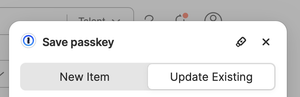
When visiting some sites that supports passkey (UpWork.com is one), I often get bugged about passkeys on every single page visit I make. The passkey notice is quite annoying and has to be dismissed constantly. I'm using Safari 26.1 on MacOS, with the 1password extension. Is it supposed to be like this? I know I can disable the prompts for passkey altogether, but I do use it on some sites and it's helpful at times. It's just that some websites cause it to prompt constantly which is very annoying.9Views0likes0CommentsQuick Access slow to appear
I've noticed on recent versions of 1Password for Mac that Quick Access is slow to appear after authenticating with a fingerprint. I have an 2021 MacBook Pro with an M1 Pro chip. After pressing Cmd+Shift+Space and authenticating with the fingerprint, it takes 2-3 seconds for Quick Access to appear. I recall it used to appear much more quickly. The slowness persists even if all other applications on my Mac are closed. If 1Password is already unlocked and I press Cmd+Shift+Space then Quick Access appears instantly. I tried resetting the app as detailed here but that did not fix the problem. Any advice would be most appreciated! 1Password Version: 8.10.58 Extension Version: Not Provided OS Version: macOS 15.2 Browser: Not ProvidedSolved374Views3likes19Comments