Protect what matters – even after you're gone. Make a plan for your digital legacy today.
security
43 TopicsI would like EPM with my SOC workflow for Oauth. Looking forward to SCIM improvements for SecOps.
Didn't understand half of what the blog post went over b/c i had to remember so many acronymns. https://1password.com/blog/automating-soc-workflows-with-1password-enterprise-password-manager Look at what is happening in society. People are live streaming implementations of openclaw and exposing their tokens. OPENCLAW DEMO THAT YOU NEED TO WATCH. I TIMESTAMPED IT SO U GO TO GOOD PART8Views0likes0Comments
op.exe considered harmful?
I’d like to raise a point about the current security model of op.exe, and how it affects protection against supply-chain or similar attacks. Consider a scenario where an attacker manages to execute malicious code locally, for example, via a compromised Python package. While this is often considered “game over,” in practice we still want to avoid being the easiest target in such situations. A common behavior of malicious payloads is to harvest local secrets. While 1Password provides some protection against direct file access, an attacker can simply invoke op.exe, which actually centralizes access to clear-text secrets in a very convenient way. Although op.exe prompts the user for permission, my understanding is that this permission applies broadly (e.g., to the entire account for a period such as 10 minutes). As a user, I can see which application is requesting access, but not which vaults or items are being queried. In practice, the application name (e.g., WindowsTerminal) is not very helpful in determining whether the request is legitimate. I’d be interested in others’ perspectives on this. Some potential improvements that seem valuable to me: When requesting permission, op.exe should provide more context (e.g., which vaults and items are being accessed). Users should be able to grant permissions at a finer granularity: not just account-wide, but limited to specific vaults or even individual items. Another useful feature would be the ability to mark certain items or vaults as excluded from programmatic access (via op.exe, and possibly browser extensions). Even better, this could be the default behavior, requiring explicit opt-in at the item level. I understand that such restrictions would be enforced client-side and therefore not fully robust. However, they would still meaningfully increase the effort required for a malicious local process to enumerate and exfiltrate secrets, and thus provide practical security benefits. Finally, it might be worth considering stronger protections at the vault level—for example, requiring explicit user authentication (master password, or even a separate password) before allowing access to secrets. This could apply not only to op.exe, but also to the interactive 1Password client.13Views0likes0Comments
SSH config managed from 1Password - alternative to SSH Bookmarks
(Mods: feel free to remove this if it's not appropriate here) I gave SSH Bookmarks a try but found it didn't quite cover my needs. No password/OTP auth, no way to use arbitrary SSH directives, no per-machine filtering, ... So I ended up building a small OSS tool called ssh-concierge that takes a similar approach but goes a bit further: it treats 1Password as the single source of truth for your entire SSH config, not just key-to-host mapping. In case it's useful to anyone else: https://github.com/bedezign/ssh-concierge Happy to answer questions!15Views0likes0CommentsUsing a Service Account token to grant a connect server acces to a vault
Hey. I'm using a service account token in a GitLab CI/CD pipeline, where I first install the 1Password CLI. It works great when i create a vault and give permissions to some groups on that vault. I would like to use the command "op connect vault grant" to give our Connect Server access to that newly created vault, so that I can subsequently use our Connect Server and do operations on that newly created vault. However I am encountering the following error: $ op connect vault grant --server OUR-SERVER --vault "VAULT_NAME" [ERROR] 2026/02/18 16:35:30 There are 0 servers that match {"OUR-SERVER"}. Try again and specify the servers's UUID instead. This is a bit weird since I can type in that command locally, using 1password CLI, and it works great. I suspect that Service Account tokens cannot grant vault permissions to Connect servers, but i'd like to be sure. If it is the case, what alternative could be used to obtain the same behaviour ? The goal here is obviously to not have to do anything manually, and it is still secure since all our credentials and secrets are stored in Gitlab CI/CD variables. Thanks Edit: I also tried with the server ID instead of its name, but same result. Edit2: It is not possible, there is an "Unsupported commands" small blue paragraph in this documentation that I missed: https://developer.1password.com/docs/service-accounts/use-with-1password-cli/#supported-commands45Views0likes0CommentsIntroducing: Desktop auth for SDKs & 1Password Environments access for CLI, SDK & Service accounts
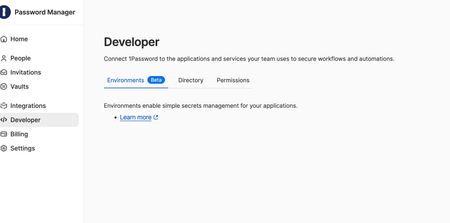
Today, we're introducing two new features to help developers get secrets to the right place at the right time, without sprinkling them across files, repos, and build logs. Programmatically read 1Password Environments (read‑only, now in beta) If you store project environment variables in 1Password Environments, you can now read them at runtime via the 1Password CLI and SDKs. That means tools can pull secrets when they’re needed, instead of maintaining .env files or managing long‑lived secret syncs. A few places this shines: CI/CD workflows: Retrieve and inject .env variables during builds using a service account. Containers/Kubernetes: Apps read connection strings at startup. Local + AI-assisted tooling: Scripts/Make targets fetch tokens on demand while keeping secrets out of the model context. Video not displaying? Watch it here. Desktop authentication for 1Password SDKs Fresh out of beta, SDK integrations can now authenticate through the 1Password desktop app with a biometric/password prompt. Sessions inherit the signed‑in user’s access and time out after 10 minutes of inactivity (or when 1Password locks). This unlocks higher‑impact workflows, including full vault management (create/read/update/delete/list), managing vault permissions, and batch item operations for teams operating at scale. Video not displaying? Watch it here. Check out the details For the full details, read the launch post. Questions, edge cases, or wish‑list items? Drop them below – we’re listening.84Views0likes0Comments
Service account creation missing
I deleted a service account in my 1Password settings because I needed to recreate a new one. However after I deleted it, the entire service account section disappeared for some reason and I'm not sure why. I've logged out and back in with no change. It used to show up to the left before Environments tab but now it's gone. Help?Solved59Views0likes1CommentService Account Rate Limits: 15+ Minutes Block, No Backoff Duration Shown
Environment: - 1Password CLI (latest) - Service Account (not personal account) - Linux systemd service using LoadCredentialEncrypted - op inject to load 2 secrets at startup --- The Problem My systemd service uses a 1Password service account to inject 2 secrets at startup via op inject. While debugging an unrelated configuration issue, I restarted the service approximately 15 times over 10 minutes. This triggered a rate limit that has now persisted for over 15 minutes with no sign of clearing. The Error Message [ERROR] 2026/01/31 22:35:22 Too many requests. Your client has been rate-limited. Try again in seconds Note the blank where the number should be — there's no indication of how long to wait. Observed Behavior ┌──────────────────┬────────────────────────────────────┐ │ Operation │ Result │ ├──────────────────┼────────────────────────────────────┤ │ op whoami │ ✅ Works (authentication succeeds) │ ├──────────────────┼────────────────────────────────────┤ │ op vault list │ ❌ Rate limited │ ├──────────────────┼────────────────────────────────────┤ │ op inject │ ❌ Rate limited │ ├──────────────────┼────────────────────────────────────┤ │ op read op://... │ ❌ Rate limited │ └──────────────────┴────────────────────────────────────┘ This indicates the rate limit is applied per-operation-type — authentication endpoints work fine, but any vault/item access is blocked. Issues 1. Rate limit is extremely aggressive — ~15 requests over 10 minutes triggered a 15+ minute block. This is a typical debugging session, not abuse. 2. No backoff duration shown — The error says "Try again in seconds" but the actual number is missing. I have no idea if I should wait 1 minute or 1 hour. 3. No way to check status — There's no op rate-limit-status command or API to check current quota/reset time. 4. Service accounts should have higher limits — These are designed for automation and CI/CD where rapid retries during debugging are expected behavior. 5. Disproportionate impact — A brief debugging session can take down production services for an extended period with no recourse. Expected Behavior - Show the actual backoff duration in the error message - Faster reset — 1-2 minutes, not 15+ - Higher thresholds for service accounts — differentiate from potential abuse patterns - Rate limit status endpoint — let us query current quota and reset time - Graduated response — warn before hard blocking, or use exponential backoff instead of a cliff Workaround Wait and hope. There's no way to know when access will be restored. --- Request: Can someone from the 1Password team clarify the rate limit policy for service accounts and whether the blank duration in the error message is a known bug?87Views0likes2Comments
Environment Feature Request
In addition to sorting which I believe has been mentioned elsewhere, can you add the ability for either custom tags (with filter by tag) or otherwise add the ability to be able mark each variable with a place where it is needed. e.g Vercel, Convex etc. At the minute my services have access to environment variables they don't need and I want to reduce it down so they only have the essentials. It would be nice to be able to view at a glance what service has access to what. It would be particularly handy in the event any service is compromised you would know exactly which variables would need updating and across which services.22Views0likes0Comments
Provide disk access to SSH public keys?
Would there be interest by the 1P developers to provide easy access to any stored SSH public keys at a simple path (rather than users having to export and save them if they need them outside of the 1P environment)? I use another tool that manages SSH keys (https://github.com/maxgoedjen/secretive, a fantastic macOS app that creates and stores SSH keys in the Secure Enclave), and it provides you with the ability to access the public keys of any stored keys at a simple path, e.g.: /Users/username/Library/Containers/com.maxgoedjen.Secretive.SecretAgent/Data/PublicKeys/d0aa1a9b19b0d0f9ab0c9fcc5de80fa6.pub If 1P had the same ability, then when users needed to provide their public key somewhere (e.g., https://developer.1password.com/docs/ssh/agent/advanced/#match-key-with-host), they wouldn't have to go through the cumbersome process of exporting the public key from 1P, saving it to a file, and then providing the path to that new file. Instead, I'd imagine there would be an option alongside the "Download" option in the 1P entry named something like "Copy Public Key File Path", and it would put the path on the clipboard; then the user just uses that for the IdentityFile, or whatever they needed the path to the public key for. And then the ideal would be if accessing the file at this path didn't require any 1P authentication at all, since it's a known-public-non-secret file... but in the end, at least in my example above, the public file is being accessed as part of a private key read, so there'll ultimately be authentication.25Views0likes1Comment